User Targeting in Feature Flags
Show the right features to the right users at the right time. Learn how targeting attributes, segments, and rollout rules combine to give you surgical control over every release.
What is user targeting?
User targeting lets you evaluate a feature flag differently for different users. Instead of a global on/off switch, you get surgical per-cohort control.
A simple boolean flag is a kill-switch. A targeted flag is a policy. You define rules that map user context (attributes your application knows about the current user) to a flag value.
Supaship supports two evaluation modes. With local evaluation, the SDK fetches the full ruleset from the edge once and evaluates rules in-memory on every call. With edge evaluation, the SDK sends context to the edge and receives only the result. Both modes use the same targeting rules you define in the dashboard.
checkout-v2Flag rules (evaluated top-down)
truetruetruefalseUser evaluations
Targeting attributes
Any key-value pair your application knows about a user can be a targeting attribute. Pass them in the context object at evaluation time — no schema required.
userId"usr_abc123"emailaccountId"acc_enterprise"plan"pro" | "free"trialDaysLeft14mrr299country"DE"region"us-east-1"timezone"Europe/Berlin"signupDaysAgo7lastActiveAt"2026-03-01"totalSessions42Custom attributes
Pass any attribute in the context object — the SDK forwards whatever you include. Common examples: betaOptIn, companySize, salesforceId, abTestGroup. With local evaluation they are bundled into the cached ruleset; with edge evaluation they are sent as part of the context on each call.
Segment targeting
A segment is a reusable audience definition. Define it once, use it across many flags.
Without segments, every flag that targets enterprise users needs to duplicate the same rules: plan = enterprise AND mrr > 500. Change the definition once and you have to update every flag.
Segments fix this. Define "Enterprise customers" once, reference it from any flag. Update the segment definition and all flags that use it stay in sync automatically.
Rules evaluate top to bottom, first match wins
Percentage rollouts & consistency
A percentage rollout should give the same user the same result on every request, not a random coin flip each time.
The SDK uses a consistent hash of the user identifier to determine bucket membership. This means:
true. The hash is deterministic: the same userId + flagKey always produces the same value.User targeting in Supaship
Supaship gives you a visual rule builder, reusable segments, and a percentage rollout slider — all wired to the same evaluation engine your SDK calls.
Build rules visually
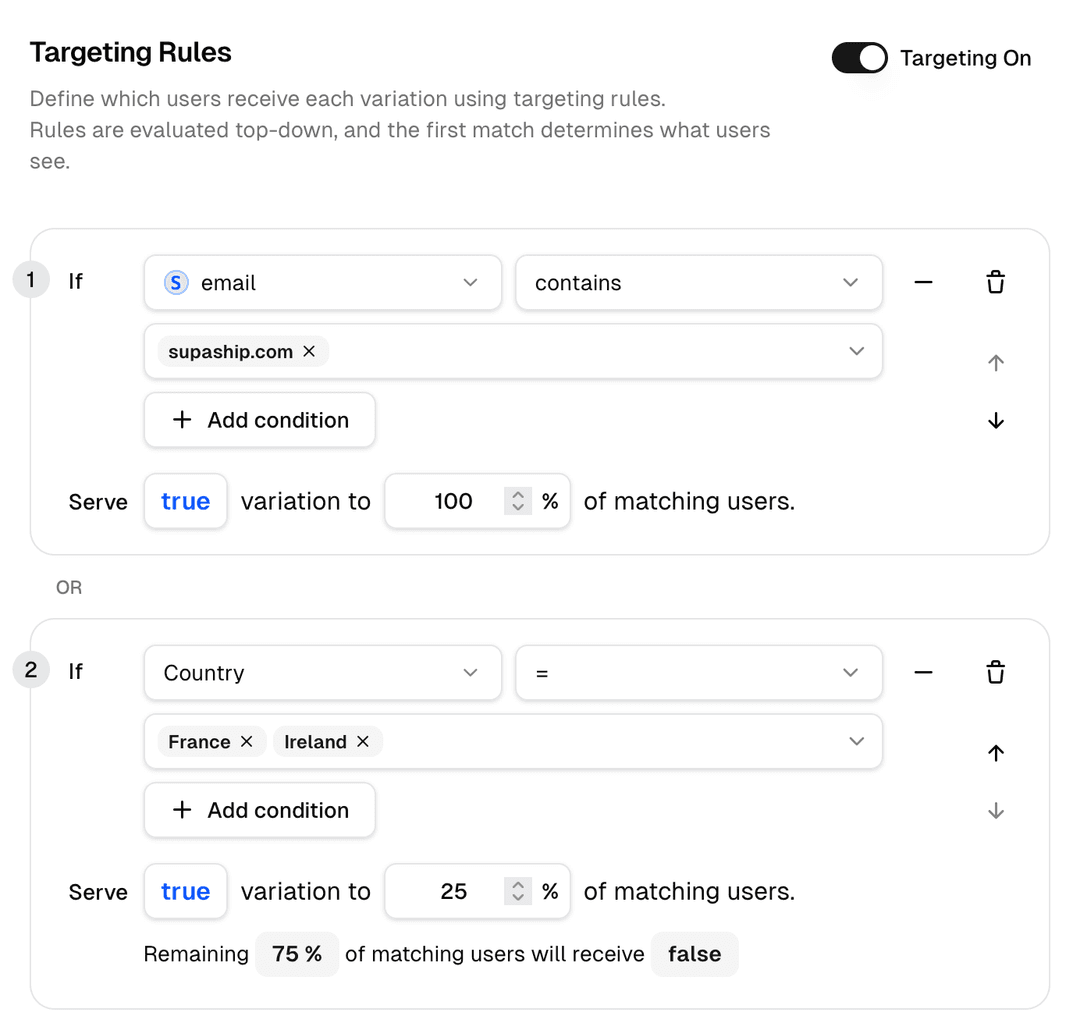
Define conditions using any context attribute — no code required. Combine conditions with AND / OR logic, pick an operator, and set a value. Rules evaluate top-down and short-circuit on first match.
Reuse segments across flags
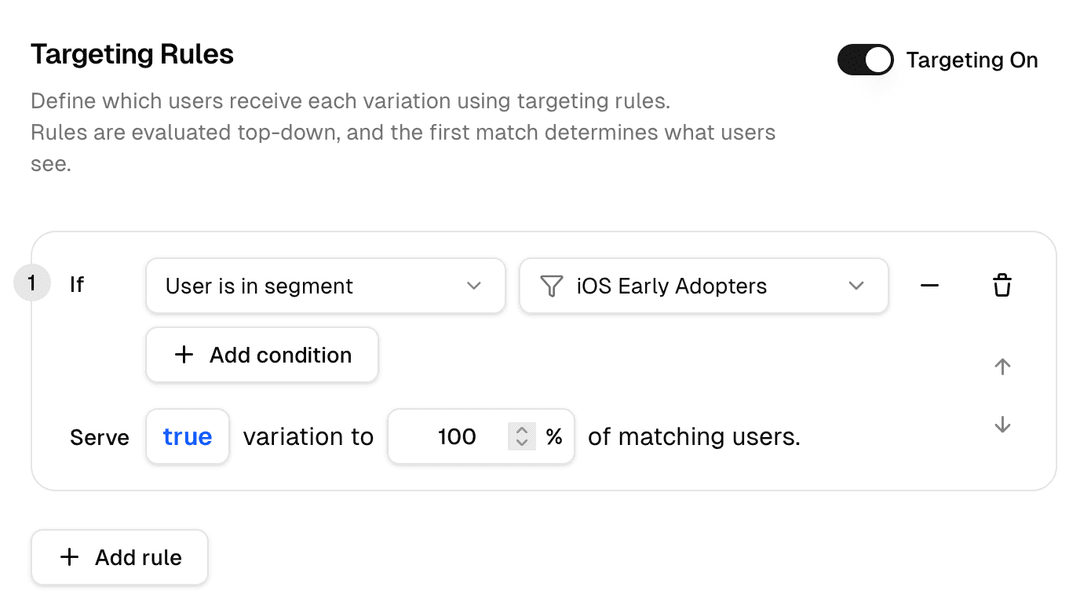
Define an audience once as a named segment and reference it from any flag rule. Update the segment definition and every flag that uses it stays in sync automatically.
- Named segments with AND / OR conditions
- Reference segments directly in flag rules
- One update syncs across all dependent flags
- Combine segment match with a percentage rollout
Gradual rollout with sticky bucketing
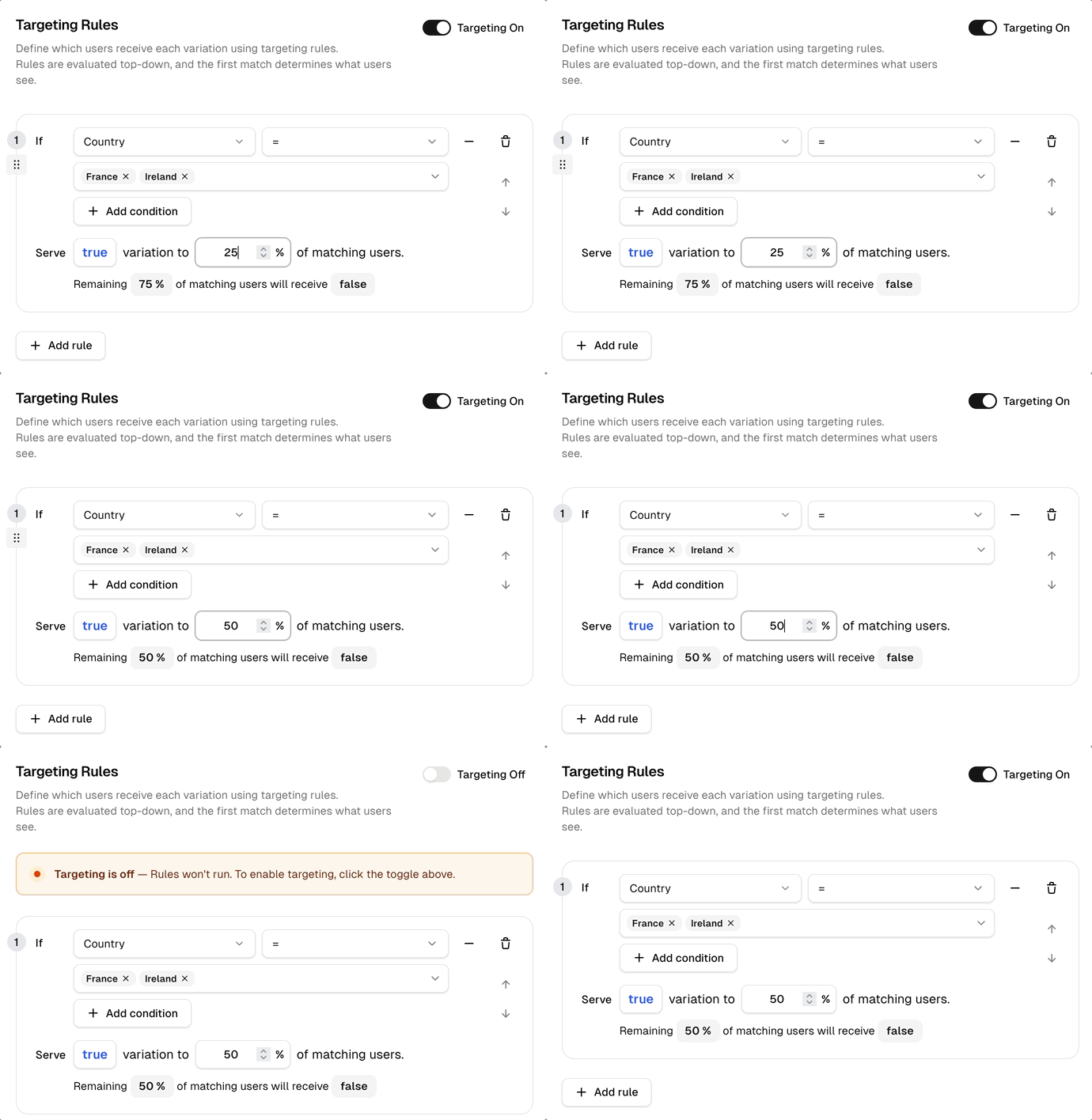
After your targeting rules, set a percentage for the remaining audience. Supaship uses a consistent hash of the user ID so the same user always lands in the same bucket — no flickering, no surprises.
- Adjust percentage without redeploying
- Expanding percentage never excludes existing users
- Each flag uses a unique salt for independent bucketing
- Set to 0% as an instant kill-switch
See which rules matched
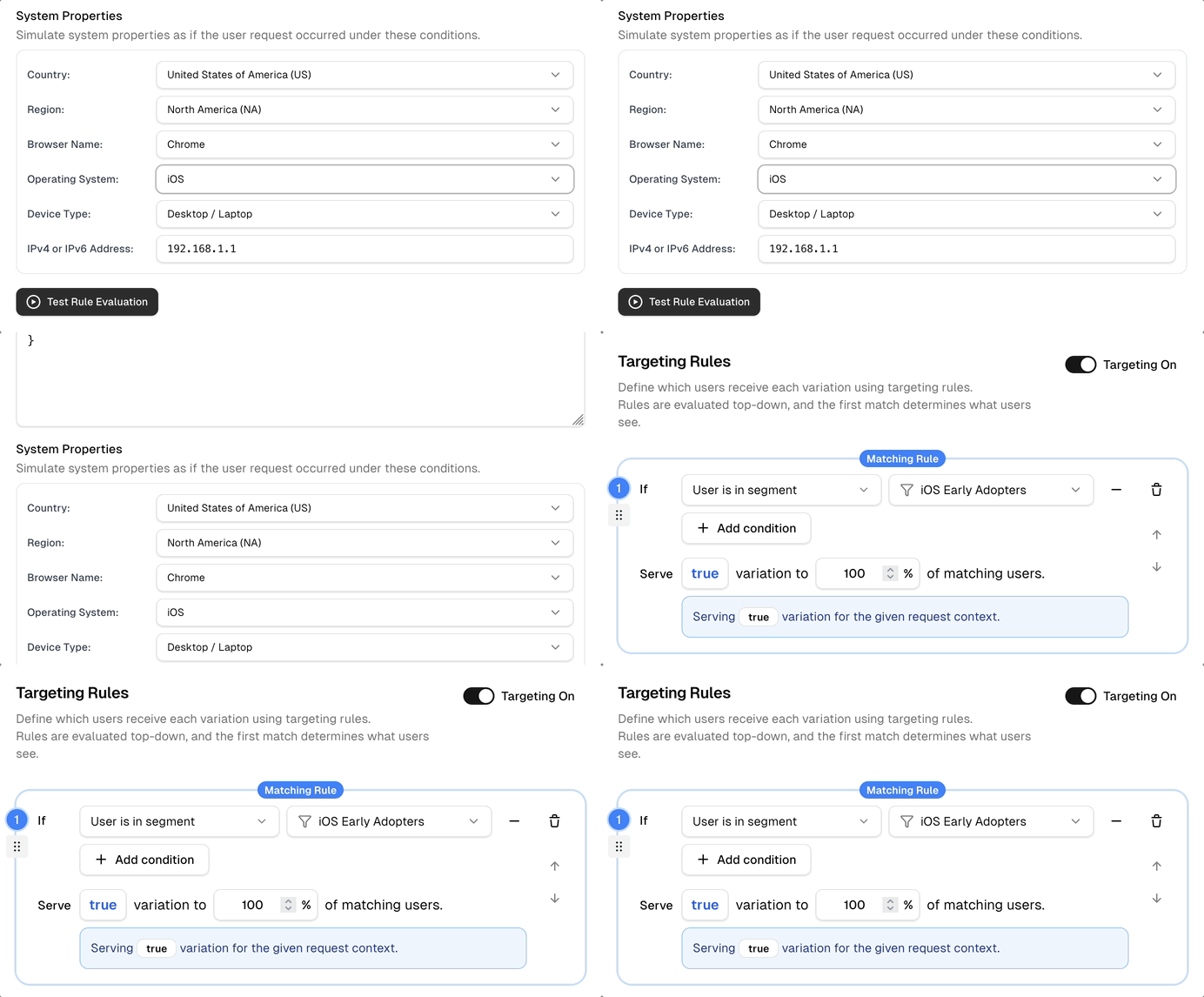
The rule evaluation preview lets you simulate any user context directly in the dashboard — no code, no deploys. Set user properties, system conditions, and hit Test Rule Evaluation to see exactly which rule matches and what value would be returned.
Rule Evaluation Preview
Simulate user context to preview rule matching
SDK integration in your application
Pass user context to the SDK at evaluation time. Attributes are evaluated against the cached rules and discarded, never stored.
import { SupashipClient, FeaturesWithFallbacks }
  from '@supashiphq/javascript-sdk'

const features = {
  'ai-sidebar':    false,
  'new-nav':       false,
  'quick-search':  false,
} satisfies FeaturesWithFallbacks

const client = new SupashipClient({
  sdkKey:      process.env.SUPASHIP_SDK_KEY!,
  environment: 'production',
  features,
  context: {
    userId:        user.id,
    email:         user.email,
    plan:          user.subscription.plan,
    region:        user.region,
    signupDaysAgo: daysSince(user.createdAt),
    betaOptIn:     user.settings.betaOptIn,
  },
})

// Batch fetch — single network call
const flags = await client.getFeatures([
  'ai-sidebar', 'new-nav', 'quick-search',
])

if (flags['ai-sidebar'])   renderAiSidebar()
if (flags['new-nav'])      renderNewNav()
if (flags['quick-search']) enableQuickSearch()
Performance
app.get('/dashboard', async (req, res) => {
  const enabled = await client.getFeature(
    'dashboard-v2',
    {
      context: {
        userId: req.user.id,
        plan:   req.user.plan,
      },
    }
  )

  res.render(
    enabled ? 'dashboard-v2' : 'dashboard'
  )
})// Update targeting context when user logs in
function onUserLogin(user) {
client.updateContext({
userId: user.id,
email: user.email,
plan: user.plan,
})
}
// All subsequent getFeature() calls will
// use the updated context automaticallyGet started
Target your first segment in minutes
Supaship supports unlimited targeting attributes, reusable segments, and rule operators, free to start.