SDK Toolbar
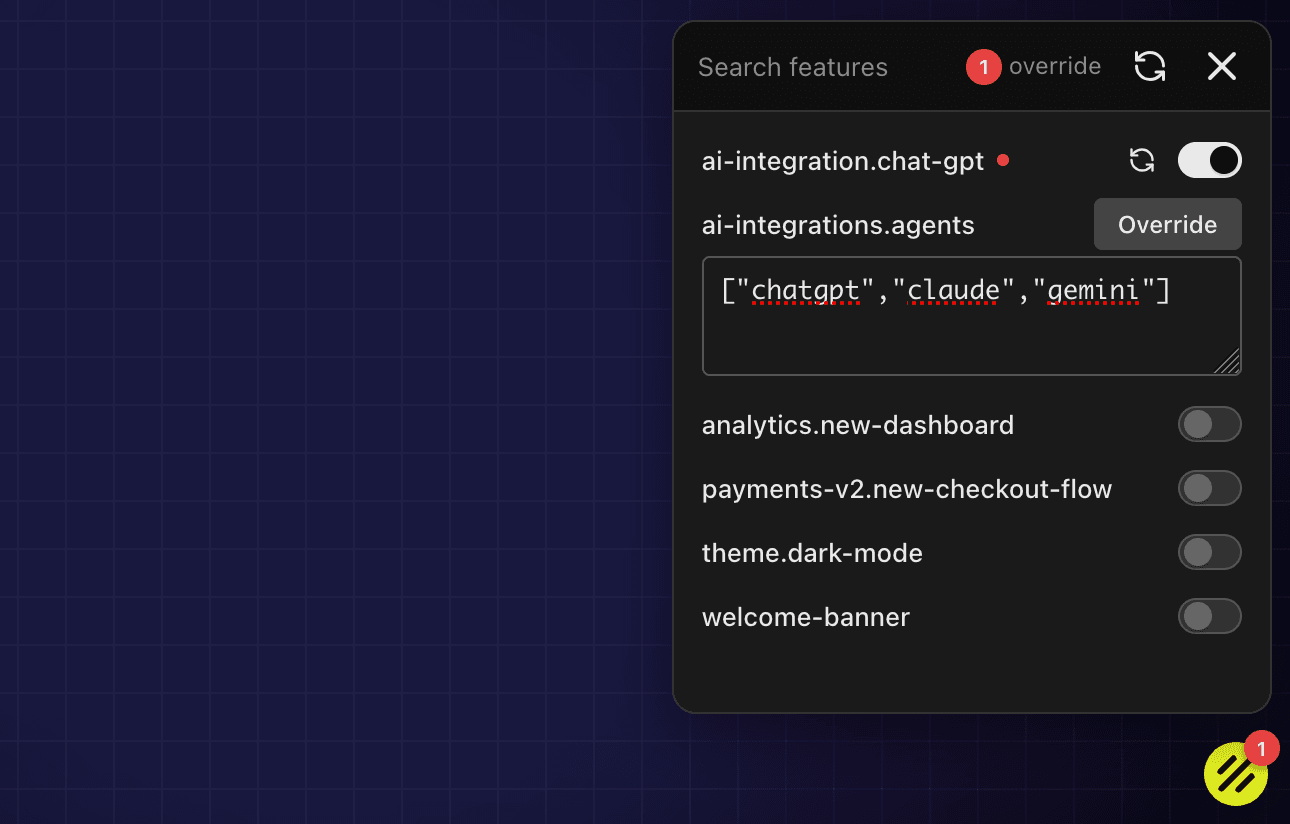
The SDK Toolbar helps you test feature flag variations locally without editing production targeting rules. It is built for faster UI iteration and safer experiments during development.
When to use it
Use the toolbar while building or QA-ing feature-gated interfaces where you want to quickly switch between variants.
It is most useful for:
- validating UI states behind flags
- reproducing user-specific behavior
- checking fallback behavior before rollout
How it works
When the toolbar is enabled, you can override flag values in your local session. These overrides apply only to your local environment and do not change dashboard configuration.
<SupashipProvider
  config={{
    sdkKey: 'your-sdk-key',
    environment: 'production',
    features: FEATURE_FLAGS,
    context: { userId: '123', email: 'user@example.com' },
  }}
  toolbar={{ show: 'auto', position: 'bottom-right' }}>
  <YourApp />
</SupashipProvider>
show: 'auto'— Toolbar appears in development only (default)show: 'always'— Toolbar always visibleshow: 'never'— Toolbar disabled
Recommended workflow
- Keep production targeting strict in the dashboard.
- Use toolbar overrides locally to test variants and edge cases.
- Once validated, configure rollout rules in the dashboard.
- Monitor release metrics as you ramp.
This keeps your development loop fast while preserving production safety.
Good practices
- Reset overrides before final validation.
- Test both enabled and disabled states for important flags.
- Verify behavior with realistic context (
plan,country,email). - Avoid relying on local overrides as a substitute for rollout rules.
Related docs
Last updated on