Segments
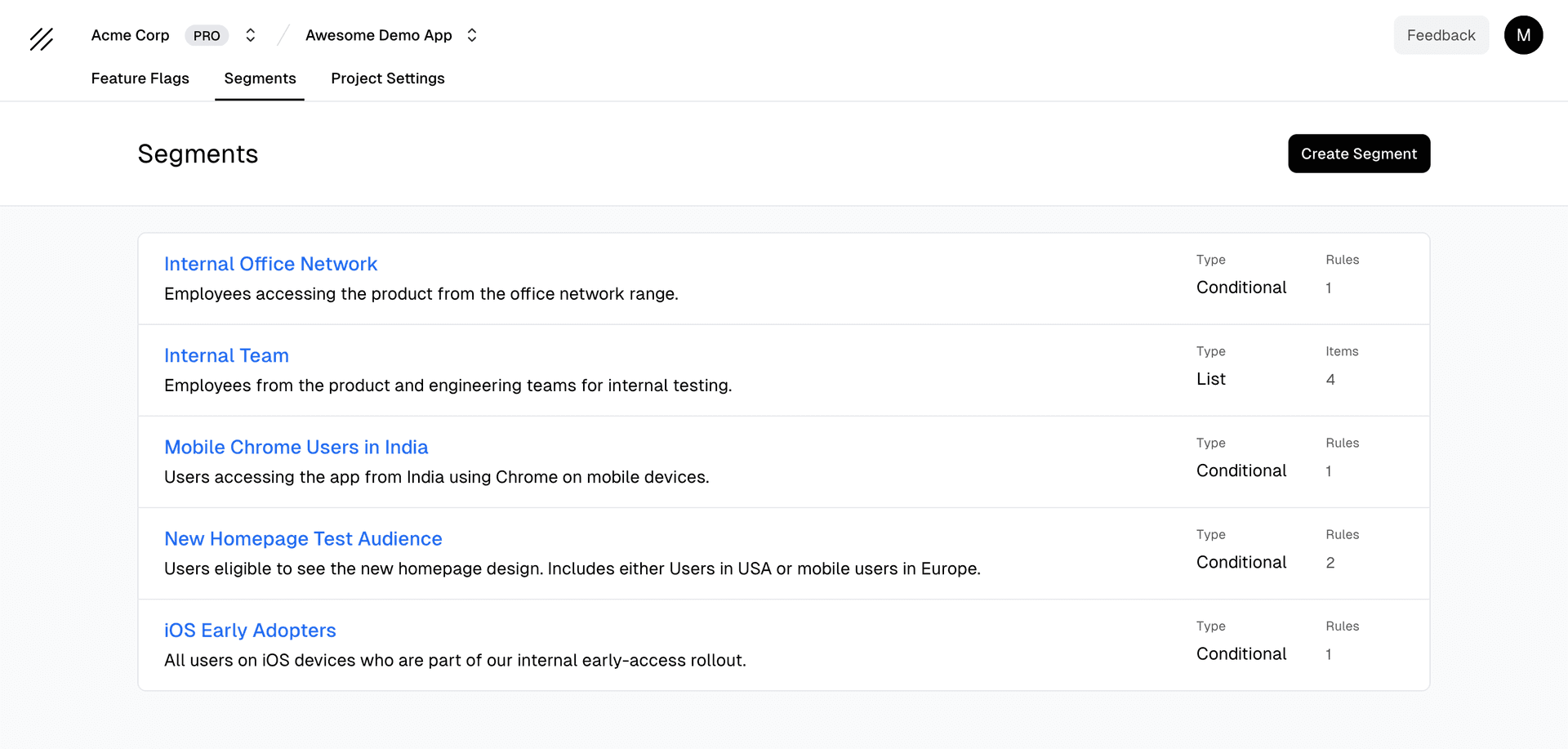
Segments are reusable user groups you can reference in feature flag targeting rules. Instead of repeating the same targeting conditions across multiple flags, create a segment once and use it everywhere.
Benefits:
- Reuse – Define user groups once, use across many feature flags
- Maintain – Update targeting logic in one place
- Organize – Group related conditions together
Segment Types
Supaship supports two types of segments, Conditional and List.
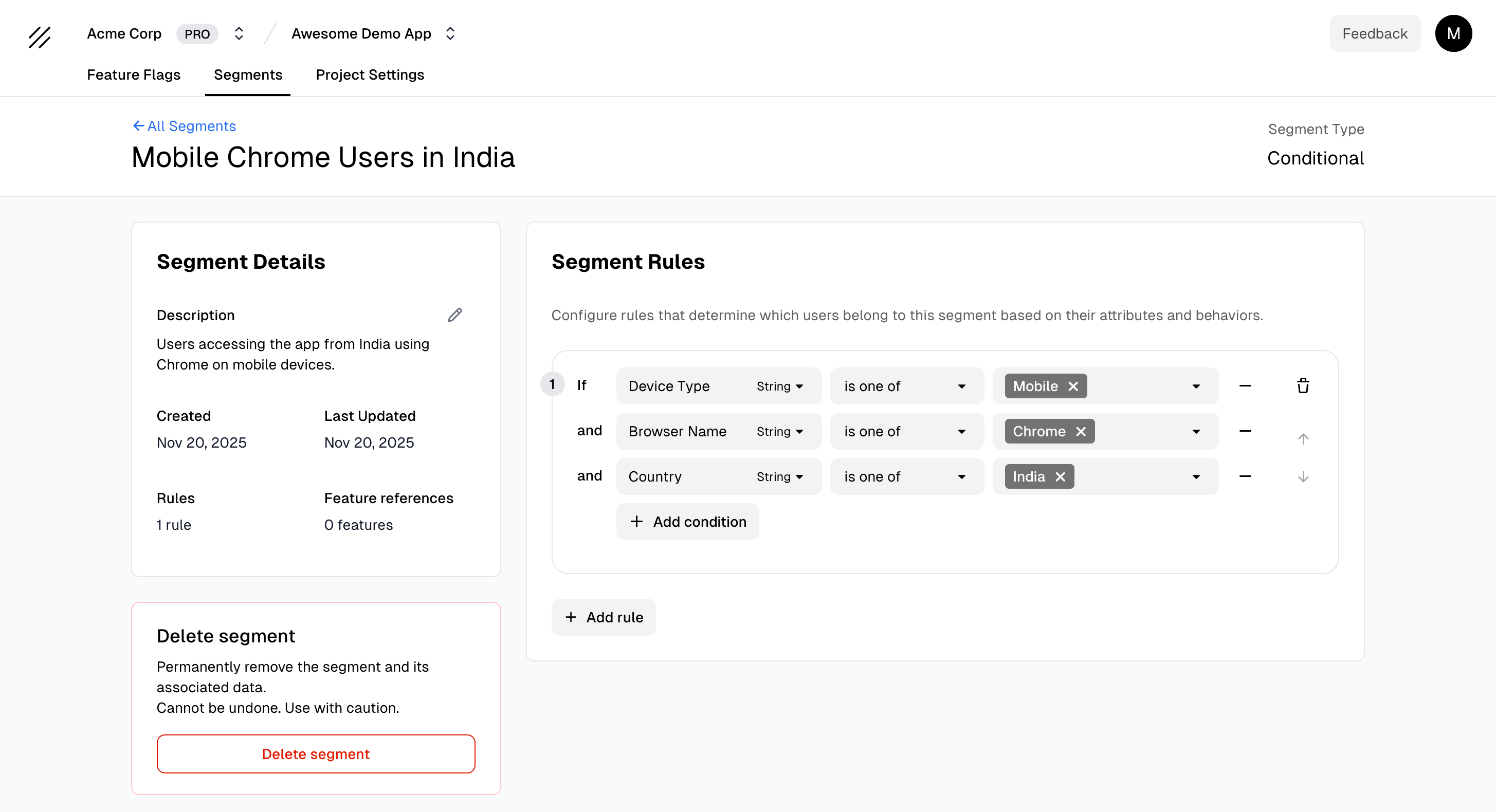
Conditional Segments
Dynamic user groups based on targeting conditions. Users are automatically included/excluded as their attributes change.
Use cases: Premium users, users in specific countries, users with certain plans
Example: “Premium Users” segment includes users where plan = 'premium' OR (subscription_status = 'active' AND plan_tier > 'basic')
List Segments
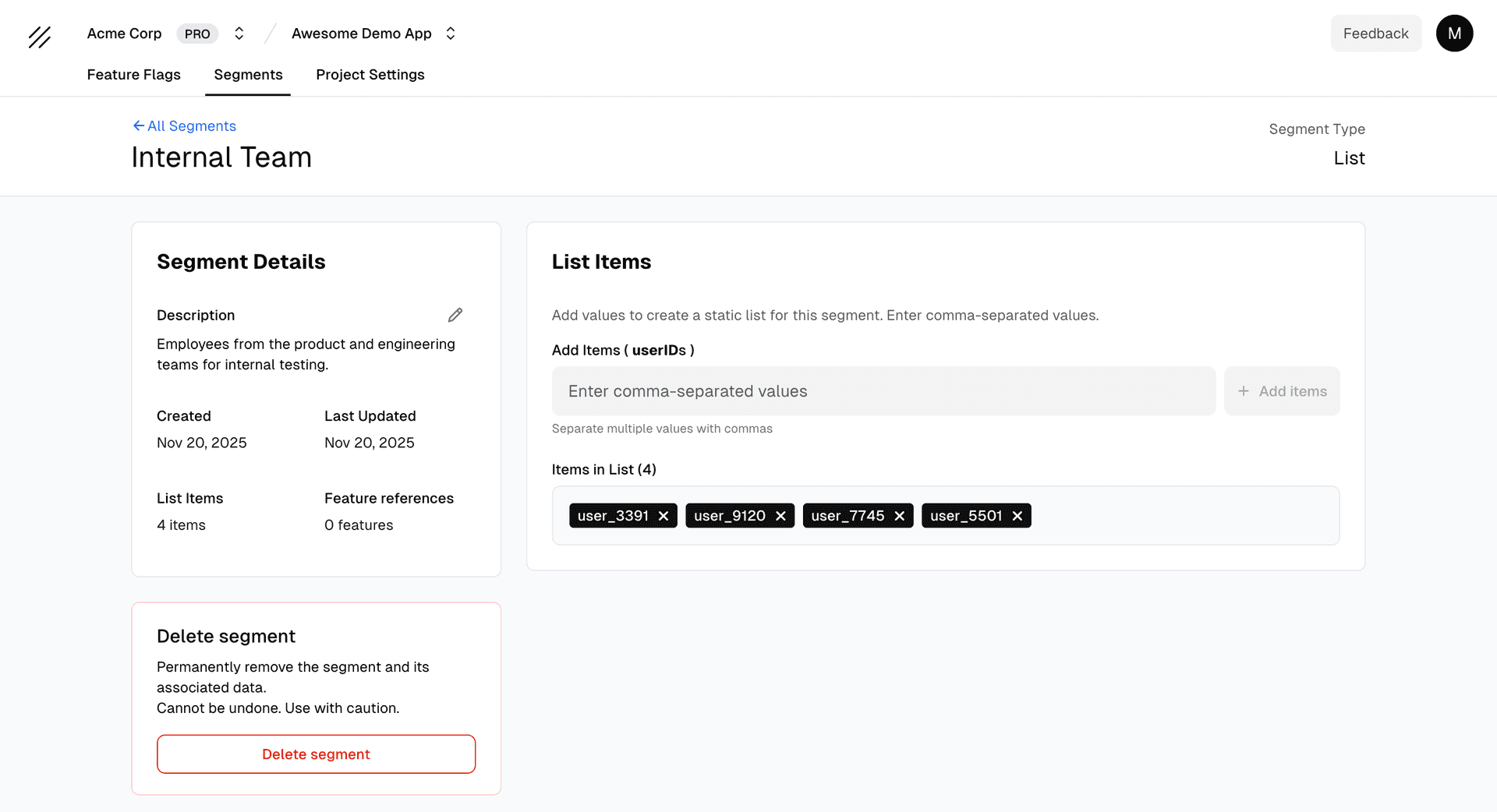
Static lists of specific user identifiers. Manually add/remove users as needed.
Use cases: Beta testers, internal team, VIP customers
Example: “Beta Testers” segment contains: user-123, user-456, user-789
Creating a Segment
- Go to Segments in your project
- Click “Create Segment”
- Enter a name and choose type (Conditional or List)
- Configure:
- Conditional: Add targeting conditions (e.g.,
plan = 'premium') - List: Add user identifiers (e.g.,
user-123, user-456)
- Conditional: Add targeting conditions (e.g.,
- Click “Create”
Using Segments in Feature Flags
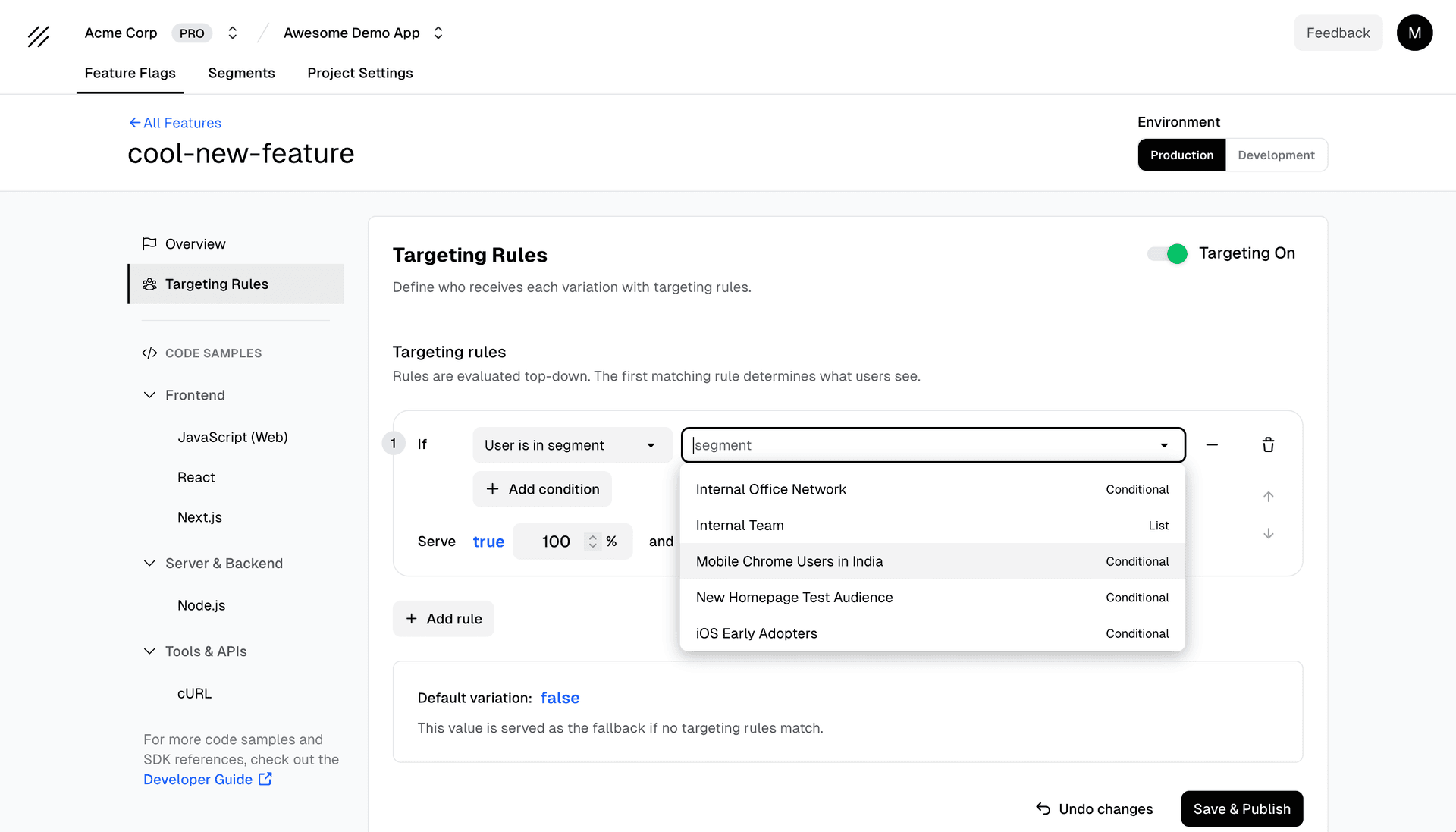
Reference segments in your feature flag targeting rules:
- Open a feature flag → Targeting section
- Add/edit a targeting rule
- Select “Segment” as the attribute
- Choose your segment from the dropdown
Now you can use the same user group across multiple feature flags. Update the segment once, and all flags using it update automatically.
Condition operators (conditional segments)
When building a conditional segment, you combine conditions using operators such as:
- Is / Is not — Exact match for strings, numbers, booleans
- Is one of / Is not one of — Match any value in a list
- Contains / Does not contain — Substring or array membership
- Greater than / Less than — Numeric comparisons
Conditions within a segment use AND logic: all must match for a user to be included. Use clear attribute names that match the context you send from your app (e.g. plan, country, email).
Best Practices
Use segments for recurring audiences — Instead of repeating plan = 'premium' in every flag, create a “Premium Users” segment once and reference it. Update the segment in one place when your definition changes.
Naming: Use clear, descriptive names like “Premium Users” or “Beta Testers”
When to use Conditional:
- User group changes automatically based on attributes
- You want dynamic evaluation (e.g., all premium users)
When to use List:
- Small, static group of specific users
- Manual control needed (e.g., beta testers)
Limitations
- Project-scoped — Segments are not shared across projects. Create them per project.
- AND logic — Conditional segments require all conditions to match; complex OR logic may need multiple segments or direct targeting rules.
- No nesting — Segments cannot reference other segments.