Targeting Rules
Targeting rules decide who gets which variation of a feature flag.
They evaluate the context you send (for example userId, country, plan)
against the rules configured for that flag and environment.
Use targeting when a feature should not be released to everyone at once. For example: premium users first, internal users only, one country at a time, or specific beta customers.
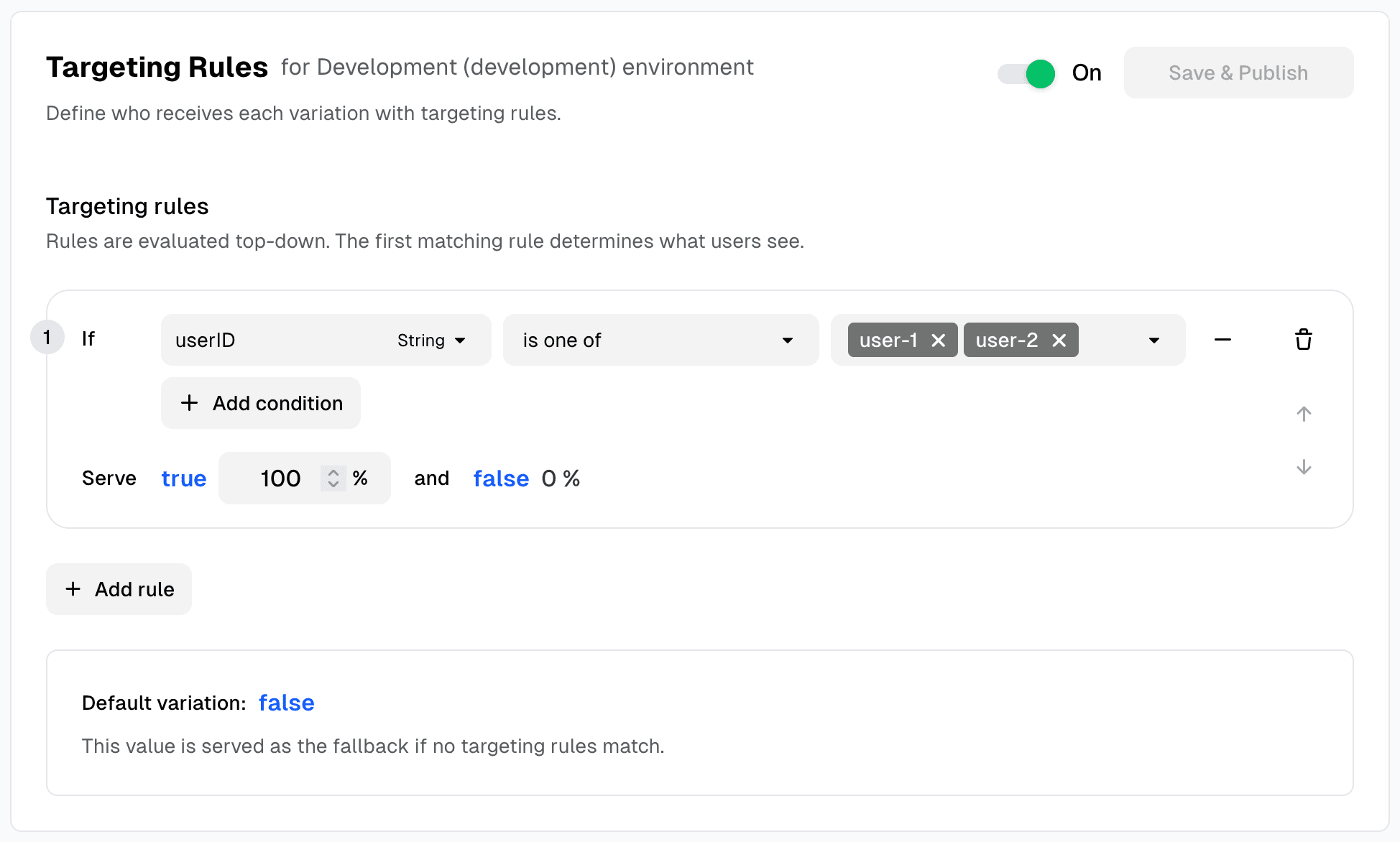
How Targeting Works
When your app evaluates a flag, Supaship:
- reads the rules for that environment
- compares each rule against context properties
- returns the matched variation (or fallback if no rule matches)
This happens at runtime, so you can update rollout behavior without redeploying.
const client = new SupashipClient({
  sdkKey: 'your-sdk-key',
  environment: 'production',
  features: {
    'new-feature': false,
  },
  context: {
    userId: user.id, // Required for targeting
    plan: 'premium',
    country: 'US',
  },
})

// Supaship evaluates targeting rules automatically
const isEnabled = await client.getFeature('new-feature')
// Returns true if user matches a targeting rule
// Returns false (fallback) if no rules match
Common Targeting Patterns
1) Internal-first release
Start with team emails or internal account IDs, validate behavior, then expand.
2) Plan-based rollout
Release to premium users before free users.
Great for controlled value delivery and support readiness.
3) Geography-based rollout
Enable by region/country (US first, then broader rollout) to limit blast
radius.
4) Segment + percentage rollout
Target a segment (for example, “Premium Users”), then gradually roll out: 10% -> 25% -> 50% -> 100%.
Release workflow
A typical rollout follows these phases:
- Internal — Enable for your team (emails or segment) to validate behavior and catch bugs
- Beta — Expand to a small group of real users or a specific segment
- Gradual ramp — Use percentage rollout: 1% → 10% → 50% → 100% while monitoring metrics
- General availability — Enable for everyone once confident
When to narrow vs expand
- Pause or narrow if errors spike, support tickets increase, or key metrics regress
- Continue ramp when metrics look healthy and no critical issues appear
- Use the Toolbar locally to validate variants before changing production rules
Targeting Methods in Supaship
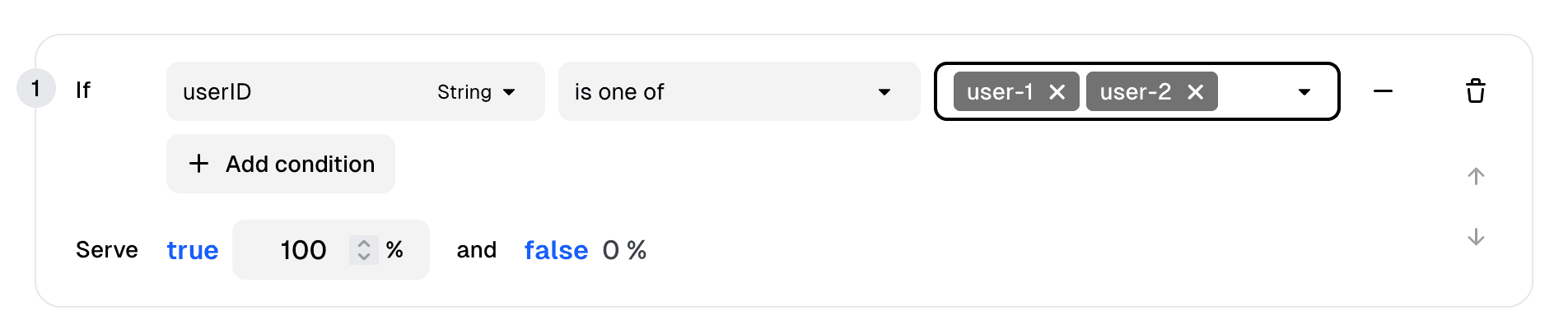
User Attributes
Target directly using context properties you send from your app.
Segments
Segments are reusable audiences. Define once, reference across many flags. This keeps rules consistent and reduces copy/paste drift.
Example: instead of repeating plan = premium in many flags, use a Premium Users segment once and apply it everywhere.
Best Practices
Write targeting rules as if someone else will debug them at 2 AM:
- keep rule intent obvious and specific
- use stable identity fields like
userId - keep naming consistent across context properties
- test one matching and one non-matching user before rollout
- prefer simple rules over deeply nested logic
Troubleshooting Quick Checks
If targeting seems wrong, check these first:
- environment mismatch (
developmentvsproduction) - property name mismatch (
userIdvsuserID) - missing context values at runtime
- rules saved on a different variation than expected
- stale local overrides (if using SDK toolbar)