Introducing User Segments in Supaship for Smarter Targeting
 Supa Developer
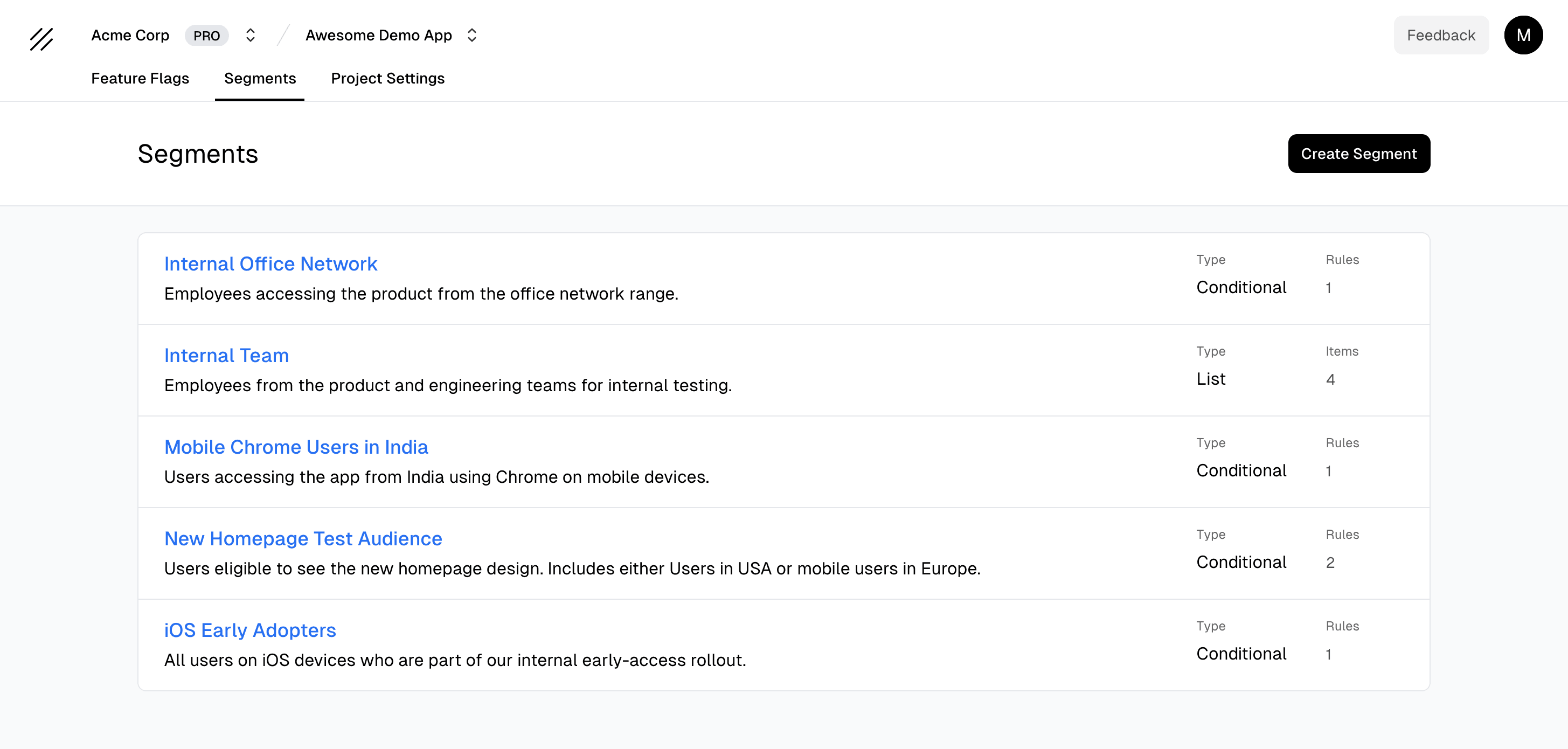
Today, we're launching Segments - a new way to group your users and reuse targeting logic across multiple feature flags. Segments make your rollouts cleaner, easier to manage at scale, and less prone to the drift that happens when you copy-paste targeting rules between flags.
With segments, you define a group of users once and use it across any number of feature flags. Any change you make to a segment automatically updates every flag that depends on it - no manual edits, no duplicated rules.
What are segments?
Supaship supports two types of segments:
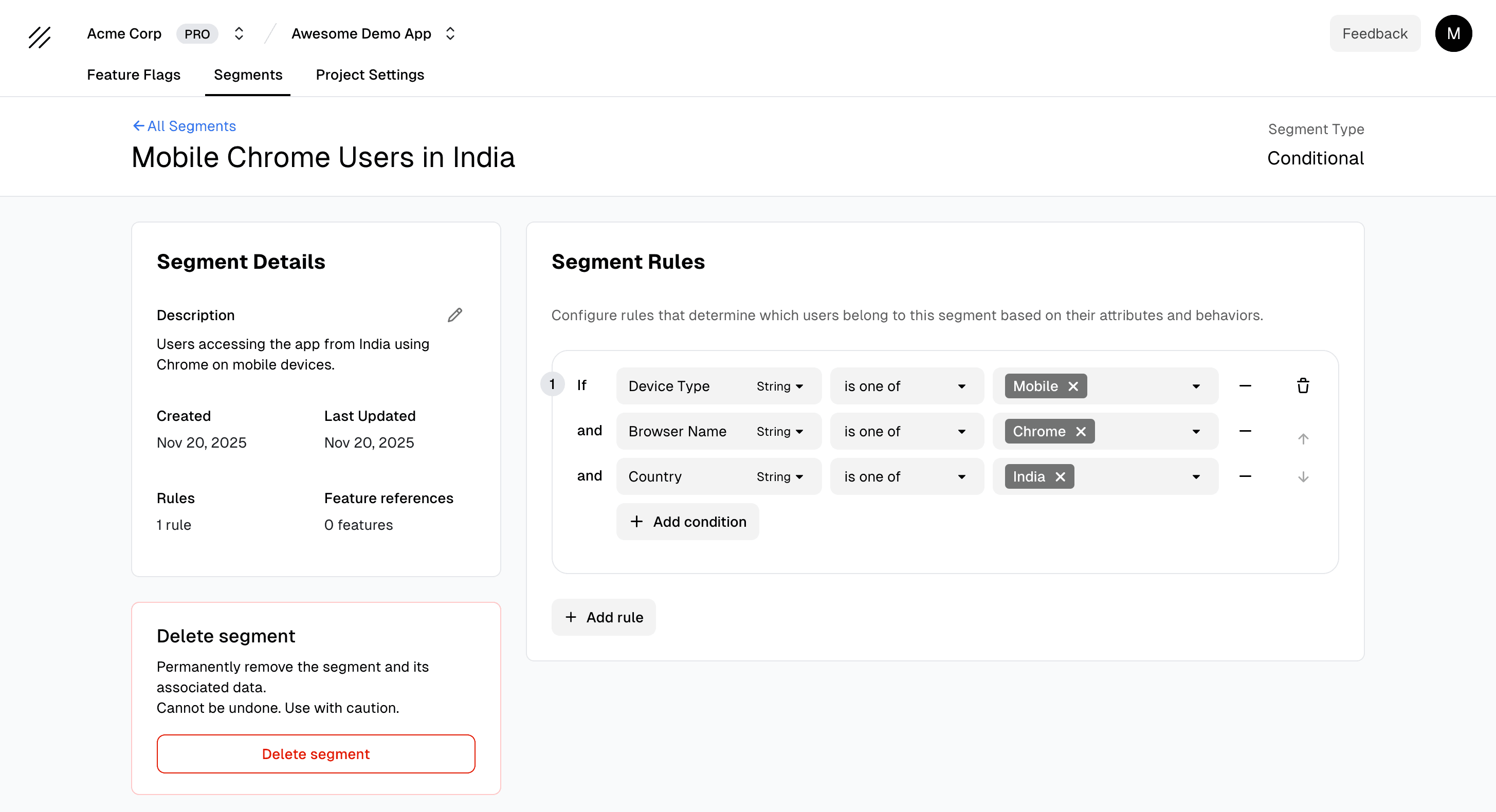
- Conditional Segments - dynamic groups based on user attributes like country, device, plan, or any custom property
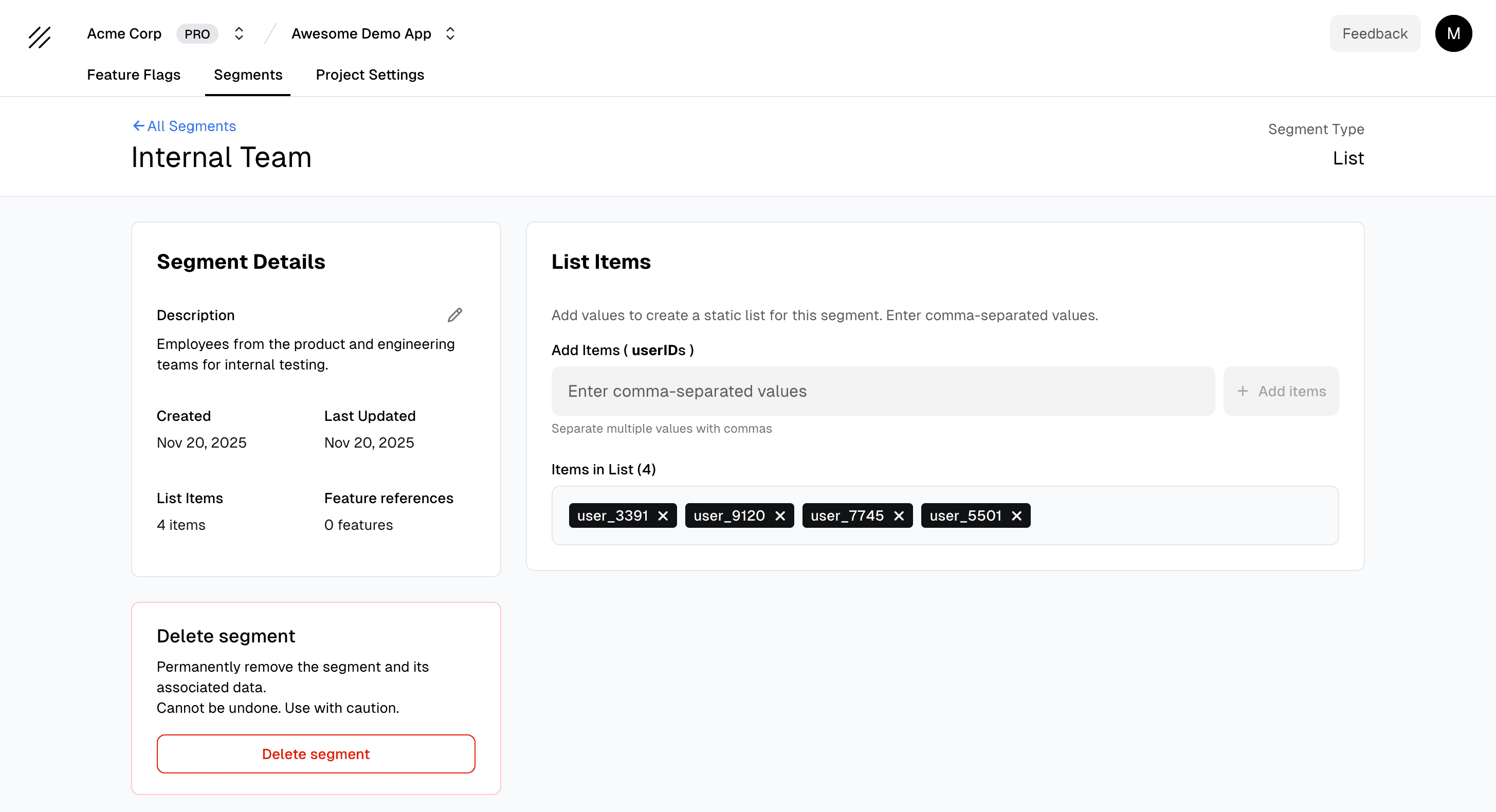
- List Segments - static groups defined by an explicit list of values (user IDs, email addresses, etc.)
| Conditional Segments | List Segments |
|---|---|
| Users in India using Chrome on mobile | Internal team members |
| All iOS users except those in beta | High-value customer accounts |
| Visitors from 10.10.0.0/16 internal network | Early access program users |
Use segments in feature flags
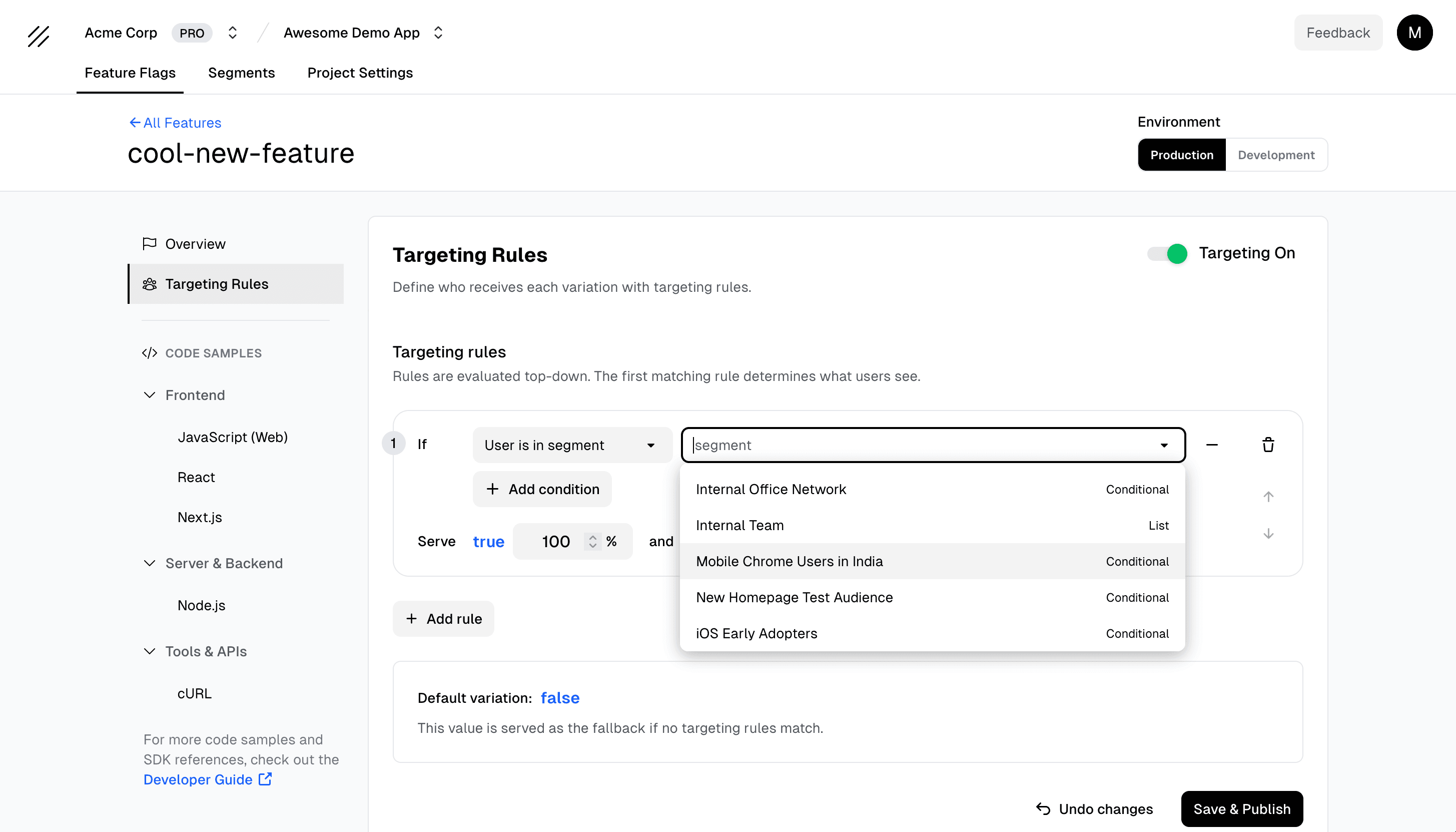
Once created, segments can be added directly to your feature flag targeting rules. This lets you:
- Reuse the same segment across multiple flags
- Update targeting behaviour in one place instead of many
- Keep rollout strategies consistent across releases
- Reduce the risk of misconfigured or duplicated rules
Try segments today
Segments are now live for all Supaship users. Start grouping your users, streamline your rollouts, and take full control of your targeting strategy.
Iterate faster and deploy with confidence - now powered by Segments in Supaship. Start free.
Feedback
Got thoughts on this?
We're constantly learning how developers actually use these tools. Ideas, use cases, integration requests — every bit of feedback makes the platform better for everyone.
Thanks for being part of the journey — Supaship