New Targeting Properties: Browser, OS & Device Type
 Supa Developer
Feature flag targeting in Supaship just got more powerful.
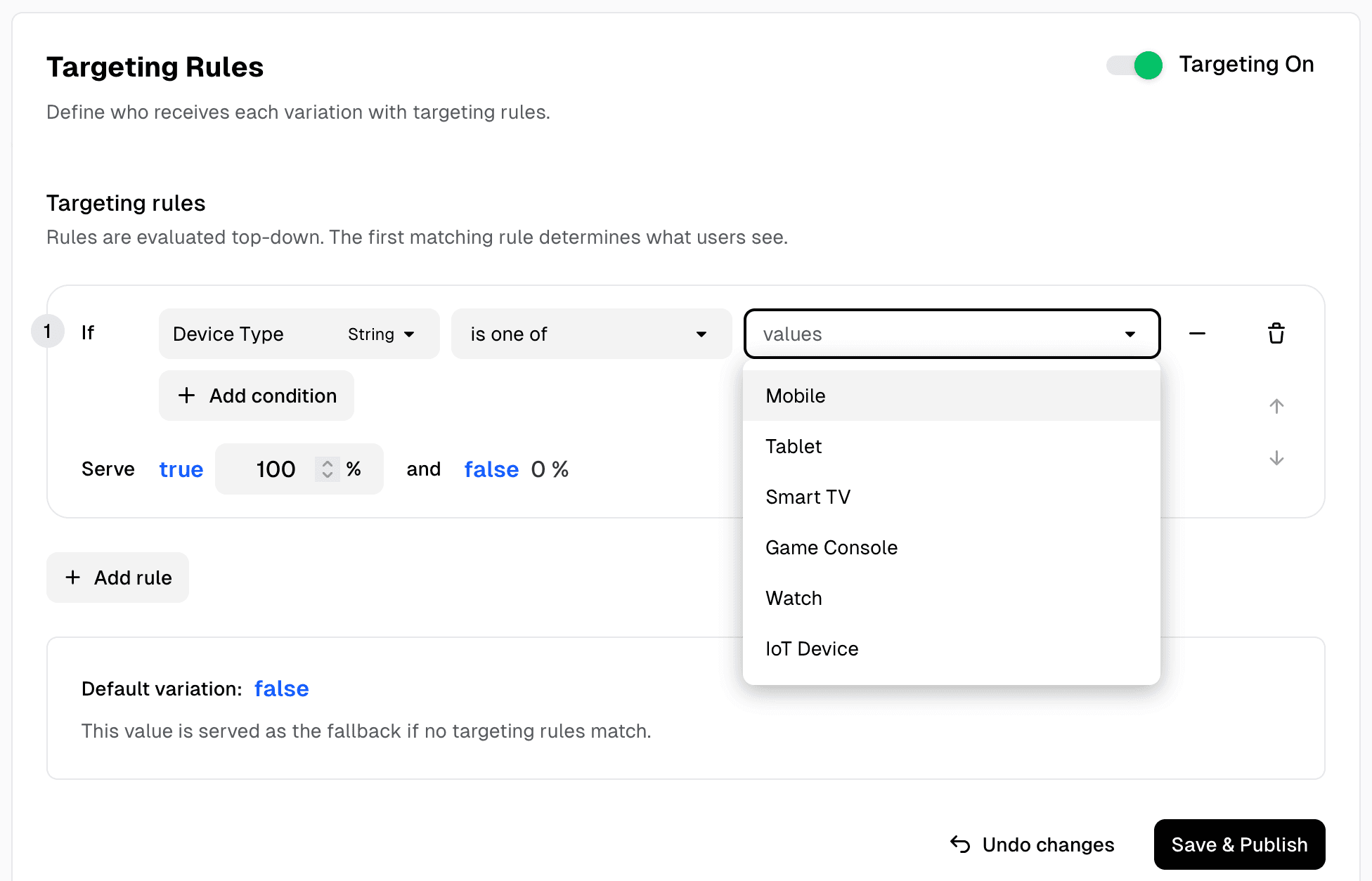
Until now, Supaship supported Country and Region as system properties to help you roll out changes to specific geographies. Today, we're expanding that with three new targeting attributes:
- Browser
- Operating System (OS)
- Device Type
These new properties open the door to more fine-grained rollouts and more personalised user experiences.
Why this matters
Modern applications don't behave the same across all environments. A feature that works perfectly on Chrome might have quirks on Safari. Your mobile users might need a different experience than desktop users. And sometimes, a rollout needs to start with a small, predictable audience.
With these new attributes, you can:
- Release features only to Chrome users or iOS devices
- Gradually enable a change for mobile users first
- Turn off a feature just for a problematic OS version
- Combine Browser + OS + Device + Country rules for highly precise rollouts
Start using it today
The new attributes are available immediately for all Supaship projects. You don't need to change anything in your code - Supaship automatically parses browser, OS, and device info from the feature flag evaluation request.
Ready to ship smarter rollouts with precise targeting? Try Supaship and deploy with confidence. Start free.
Feedback
Got thoughts on this?
We're constantly learning how developers actually use these tools. Ideas, use cases, integration requests — every bit of feedback makes the platform better for everyone.
Thanks for being part of the journey — Supaship