Schedule your feature flag rollouts, with per-rule schedules
 Supa Developer
Targeting tells you who gets a variation; scheduling answers when that rule should matter. Today we’re shipping per-rule schedules in Supaship so you can automate start and end times for individual rollout rules, without staying up to flip a flag at midnight.
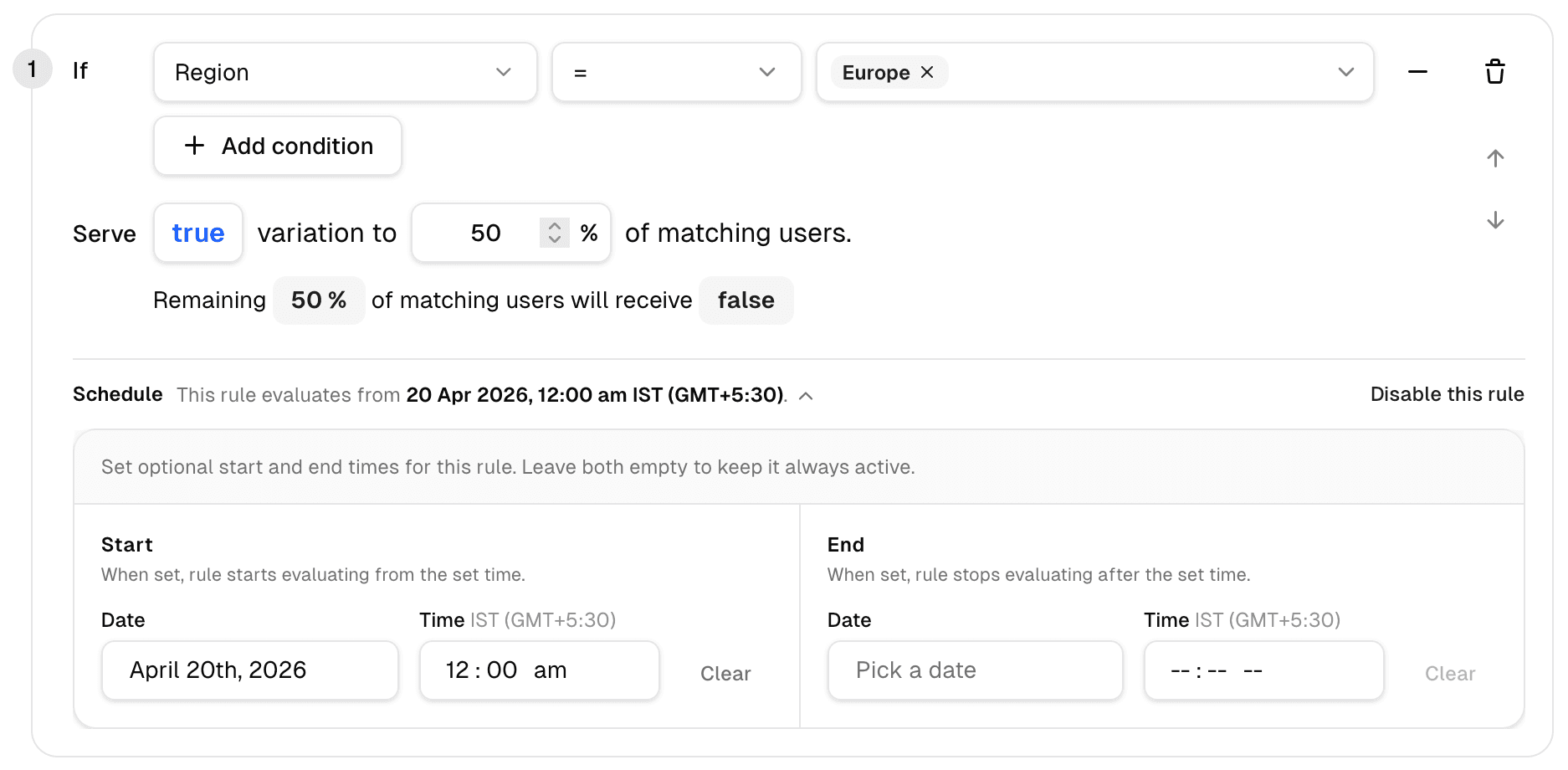
What you get
Each rule still has its familiar logic: conditions (for example “Everyone”) and delivery (for example serve true to 100% of matching users). Below that, a new Schedule section controls the rule’s active window.
- No schedule — The rule behaves as before. The UI states it plainly: No schedule. Rule is active immediately.
- Start only — Evaluation begins at your chosen date and time.
- End only — The rule stops evaluating after the end time.
- Start and end — The rule is active only between those moments.
Copy on the form reminds you: Set optional start and end times for this rule. Leave both empty to keep it always active—so “always on” stays the default mental model.
Why teams asked for this
Automation — Coordinated launches, promos, and maintenance windows no longer depend on someone watching the dashboard.
Precision — Date and time pickers support minute-level control, with the timezone shown next to the fields (for example IST GMT+5:30) so distributed teams agree on what “9:00” means.
Flexibility — Use a start time, an end time, or both; leave both empty for classic always-active rules.
Clarity — Schedule status is visible at a glance, alongside Clear on each side and Disable this rule when you need to turn the rule off entirely.
Try it
Rule scheduling is available now in the Supaship dashboard. Add a window to a rule, confirm the timezone, and ship on your calendar—not on someone’s alarm clock.
Ship on schedule — Create a free Supaship workspace and put timed rollouts behind your next release.
Feedback
Got thoughts on this?
We're constantly learning how developers actually use these tools. Ideas, use cases, integration requests — every bit of feedback makes the platform better for everyone.
Thanks for being part of the journey — Supaship